If you’re a Mac or iPhone user, you’ve probably come across Setapp while searching for productivity, design, development, or utility apps. Instead of purchasing dozens of premium applications separately, Setapp offers access to a curated collection of apps through a single monthly subscription.
But is Setapp really worth paying for? Can it replace buying apps individually? And does it offer enough value to justify another recurring subscription?
In this comprehensive Setapp Review, we’ll take an in-depth look at its features, pricing, app library, pros and cons, performance, and overall value to help you decide whether it’s the right investment.
What Is Setapp?
Setapp is a subscription-based software service developed by MacPaw, the company behind popular Mac applications like CleanMyMac.
Rather than selling apps individually, Setapp gives subscribers unlimited access to a carefully curated library of premium applications through one subscription.
Instead of spending hundreds or even thousands of dollars purchasing software licenses individually, you pay one recurring fee and download any available app without additional charges.
The service focuses primarily on Apple users, supporting macOS while also offering a growing selection of iPhone and iPad applications through Setapp Mobile.
Today, Setapp includes more than 260 premium apps, covering almost every category imaginable—from productivity and creativity to development, AI, maintenance, security, and business tools.
How Setapp Works
Getting started with Setapp is straightforward.
Step 1: Create an Account
Visit Setapp’s website and create an account using your email address.
Step 2: Download the Setapp App
Install the Setapp desktop application on your Mac.
Step 3: Browse Available Apps
The application works like an app marketplace, allowing you to browse software by category, popularity, or search.
Step 4: Install Apps
Click Install on any app.
There’s no serial number, activation key, or manual license management.
Step 5: Automatic Updates
Whenever an application receives an update, Setapp installs it automatically.
Step 6: Use Across Devices
Depending on your subscription, you can use Setapp across multiple Macs and compatible iPhone or iPad devices linked to your account.
Key Features
Massive Premium App Library
One of Setapp’s biggest strengths is its extensive software catalog.
Rather than including thousands of low-quality apps, Setapp focuses on carefully selected premium applications from trusted developers.
Categories include:
- Productivity
- Utilities
- Development
- Design
- Writing
- AI
- Security
- Business
- Education
- Personal Finance
- System Maintenance
Productivity Apps
Professionals can access numerous productivity tools for managing tasks, notes, calendars, time tracking, file management, and workflows.
Popular productivity categories include:
- Task managers
- Note-taking
- Calendar enhancement
- Time tracking
- Clipboard managers
- Menu bar utilities
Design Apps
Creative professionals benefit from software for:
- Image editing
- Vector graphics
- Color picking
- Icon creation
- Mockups
- UI design
- Screen recording
Developer Tools
Developers receive access to software for:
- API testing
- Database management
- SSH
- FTP
- Code snippets
- JSON formatting
- Local development
Writing Tools
Writers can install applications for:
- Grammar improvement
- Markdown editing
- Distraction-free writing
- PDF editing
- Text formatting
Utility Apps
Utility applications include:
- File compression
- Duplicate finder
- Storage analysis
- Clipboard managers
- Battery monitoring
- Screenshot utilities
- Window management
Security Applications
Security-focused apps help with:
- Password management
- VPN services (where included)
- File encryption
- Privacy protection
- Secure storage
AI-Powered Apps
Recent additions include AI tools that assist with:
- Writing
- Meeting transcription
- Brainstorming
- Coding assistance
- Productivity automation
The AI collection continues to expand as new software is added.
One-Click Installation
Unlike purchasing software individually, installation requires only one click.
No product keys.
No activation codes.
No complicated licensing.
Automatic Updates
Every included application stays updated automatically through Setapp.
Users no longer need to monitor updates from multiple developers.
Clean Interface
The Setapp desktop application has an intuitive interface that makes finding apps quick and simple.
Apps can be filtered by:
- Category
- Recently added
- Most popular
- Collections
- Recommended
Family and Team Plans
Besides individual subscriptions, Setapp also offers family plans for multiple users and business solutions designed for teams.
These plans simplify software management while reducing overall costs for households and organizations.
Best Apps Included in Setapp
| App | Category | Main Use | Why It’s Popular |
|---|---|---|---|
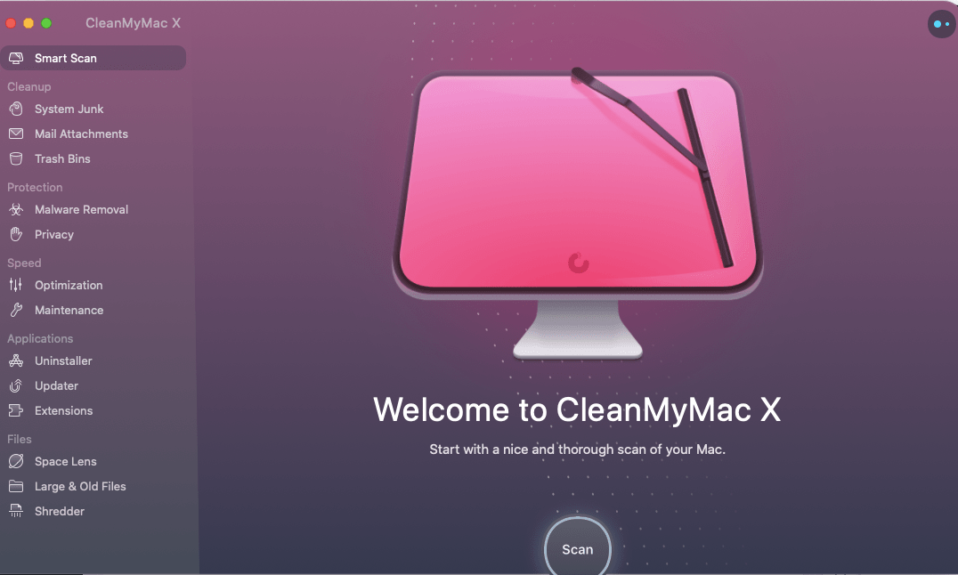
| CleanMyMac X | System Utility | Mac optimization | Easy maintenance and cleanup |
| Ulysses | Writing | Professional writing | Excellent writing experience |
| MindNode | Productivity | Mind mapping | Visual brainstorming |
| TablePlus | Development | Database management | Fast and lightweight |
| PDF Search | Productivity | Search PDFs | Powerful document indexing |
| Paste | Productivity | Clipboard manager | Saves clipboard history |
| Spark Mail | Email management | Smart inbox features | |
| Bartender | Utility | Menu bar organization | Declutters macOS menu bar |
| BetterTouchTool | Productivity | Automation | Powerful customization |
| Gemini | Utility | Duplicate file finder | Quickly frees storage |
Pros
After evaluating Setapp, several advantages stand out.
- Access to hundreds of premium apps under one subscription
- Excellent value if you use multiple paid applications
- Automatic software updates
- High-quality curated library
- No advertisements
- Easy installation process
- Frequent addition of new apps
- Family and business plans available
- Clean user interface
- Trusted developers
- Saves significant money over buying individual licenses
- Great discovery platform for premium Mac software
Cons
No software subscription is perfect.
Some drawbacks include:
- Monthly subscription required
- Some apps remain exclusive to macOS
- Windows users cannot fully benefit
- Not every premium Mac app is included
- Requires periodic internet verification
- Some users may only need one or two apps, making the subscription less valuable
- Individual app ownership is not included if you cancel
Setapp Pricing
Setapp offers flexible subscription plans depending on your needs.
Generally available options include:
- Individual subscription
- Family subscription
- Teams or business plans
Most plans include:
- Unlimited app installations
- Automatic updates
- Access to new apps
- Cloud account synchronization
A free trial allows new users to explore the service before committing.
Subscribers can choose monthly or annual billing, with annual plans usually offering better overall value.
Refund eligibility depends on the circumstances and applicable terms.
Is Setapp Worth the Money?
For many Mac users, the answer is yes.
If you regularly purchase productivity software, utilities, or creative applications, Setapp can quickly pay for itself.
For example, buying just five premium Mac applications individually could cost several hundred dollars.
With Setapp, you gain access to hundreds of apps for a recurring subscription.
However, if you only rely on one or two applications, purchasing them individually may be more economical.
Setapp vs Buying Apps Individually
| Feature | Setapp | Individual Purchases |
| Initial Cost | Low subscription | High upfront payment |
| Updates | Included | May require paid upgrades |
| Number of Apps | Hundreds | Only purchased apps |
| Installation | One click | Separate downloads |
| License Management | Centralized | Individual licenses |
| Overall Value | Excellent for multiple apps | Better if using only one app |
Setapp vs Alternatives
| Feature | Setapp | Microsoft 365 | Adobe Creative Cloud | Individual App Store Purchases |
| Main Focus | Mac software bundle | Office productivity | Creative professionals | Single app purchases |
| Number of Apps | 260+ | Office suite | Adobe suite | One at a time |
| Subscription | Yes | Yes | Yes | Usually one-time |
| Best For | Mac users | Office work | Designers | Occasional purchases |
| Platform | macOS & iOS | Cross-platform | Cross-platform | Apple ecosystem |
Performance & User Experience
Throughout testing, Setapp performs smoothly.
Installation
Installation is quick and requires only a few minutes.
Speed
Apps download rapidly, depending on your internet connection.
Stability
Applications generally remain stable because Setapp partners with established developers.
User Interface
The interface is clean, modern, and easy to navigate.
App Discovery
Browsing categories and curated collections makes discovering useful software effortless.
Search Functionality
The built-in search quickly locates apps by name, category, or functionality.
Updates
Automatic updates eliminate manual maintenance.
Customer Support
Support resources include documentation, FAQs, and customer assistance for subscription-related issues.
Customer Reviews
Overall, user sentiment toward Setapp is positive.
Common Positive Feedback
- Excellent value for heavy Mac users
- Saves money compared to buying multiple apps
- High-quality software collection
- Easy installation
- Regular app additions
- Automatic updates
Common Criticisms
- Subscription model isn’t for everyone
- Some favorite apps aren’t included
- Limited usefulness for Windows users
- Less cost-effective if using only a few apps
Overall, Setapp enjoys a strong reputation among productivity enthusiasts, developers, freelancers, and professionals who regularly rely on premium Mac software.